

Access Feishu App Store App social login
Create an app store application on Feishu open platform
Create an app at Authing
Start developing access
Create an app store app
- If you have not yet opened a Feishu developer account, please go to Feishu Open Platform (opens new window) to create a developer account;
- In the Developer Background (opens new window), click "Create App Store App";
- Enter application name and application description, and upload the logo;
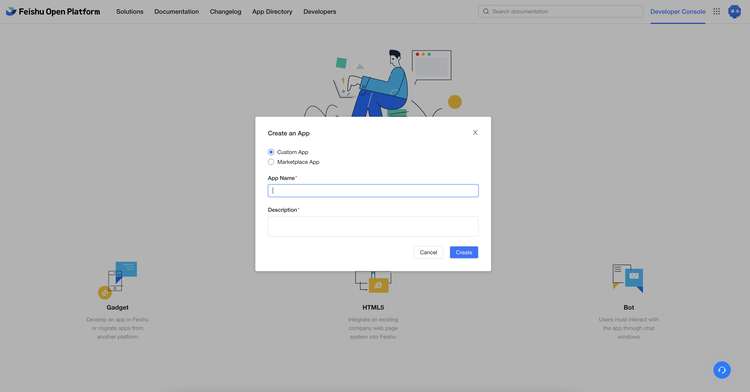
- Click the "OK Create" button.
Get app credentials
After the creation is complete, click the application you just created to enter the application details page:
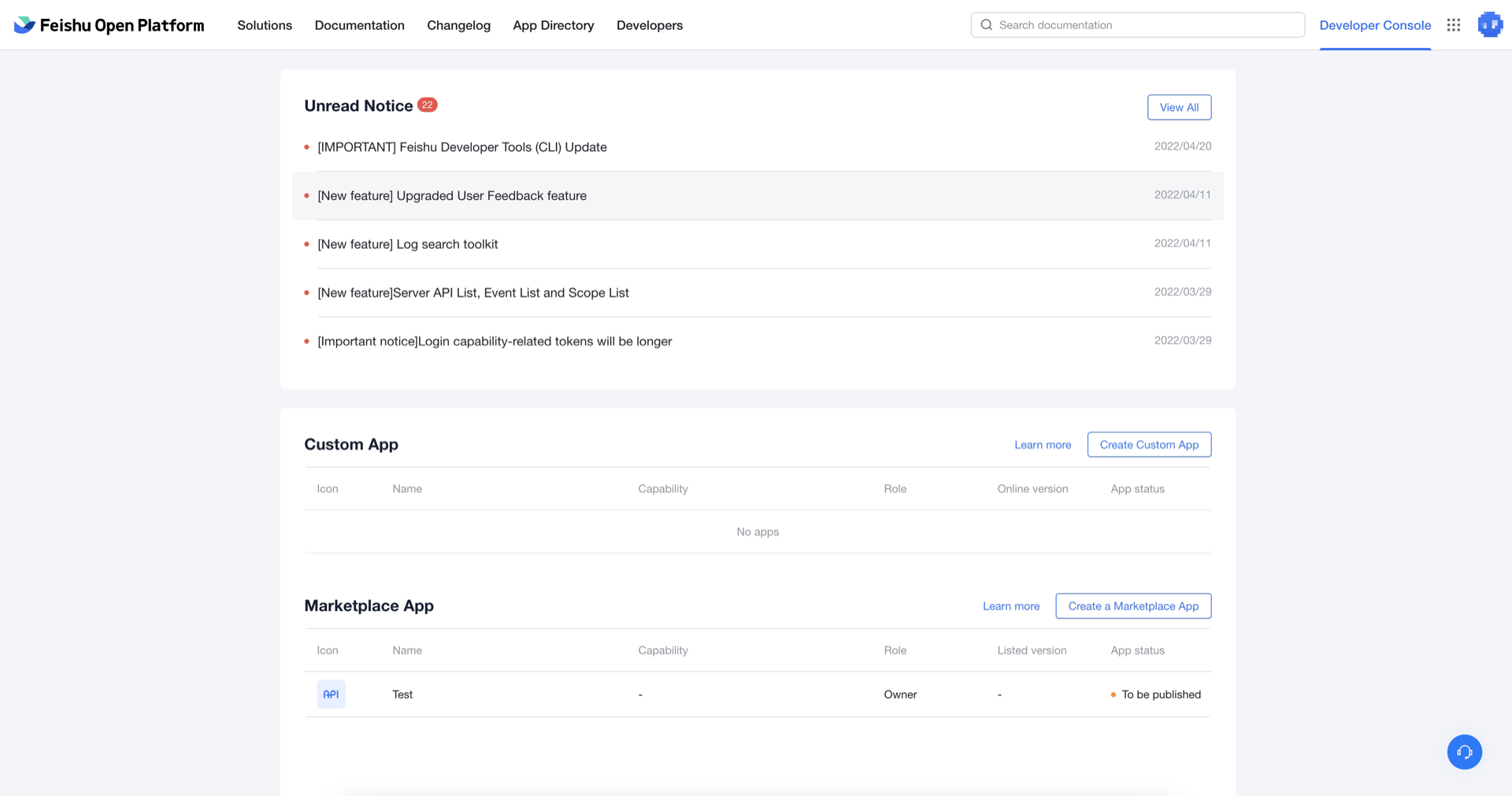
1.On the Certificate and Basic Information page of Feishu application details, you can get the App ID and App Secret of the application, and copy these two values;
2.On the Authing Console (opens new window) Connect Identity Source - Social Login page, find the Feishu App Store App;
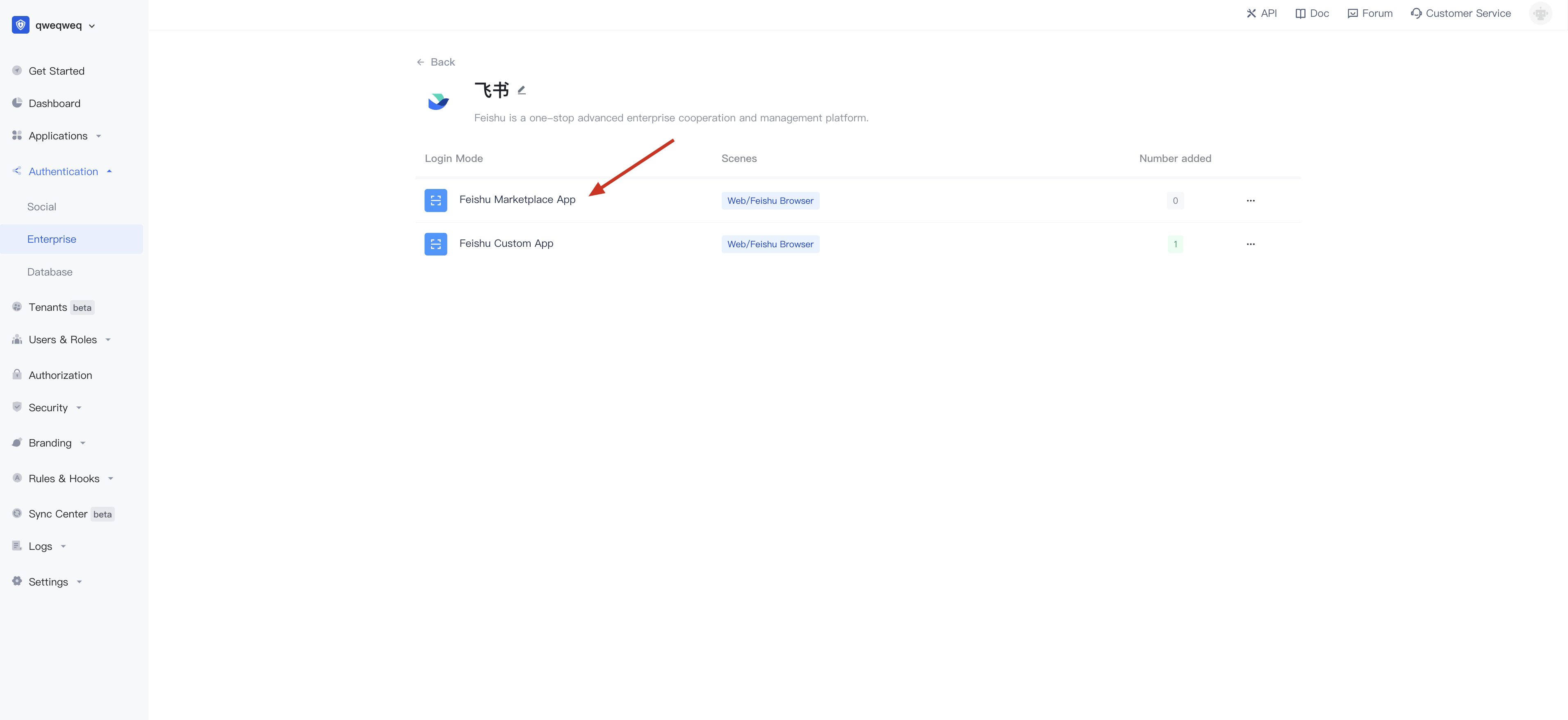
- Fill the form with App ID and App Secret:
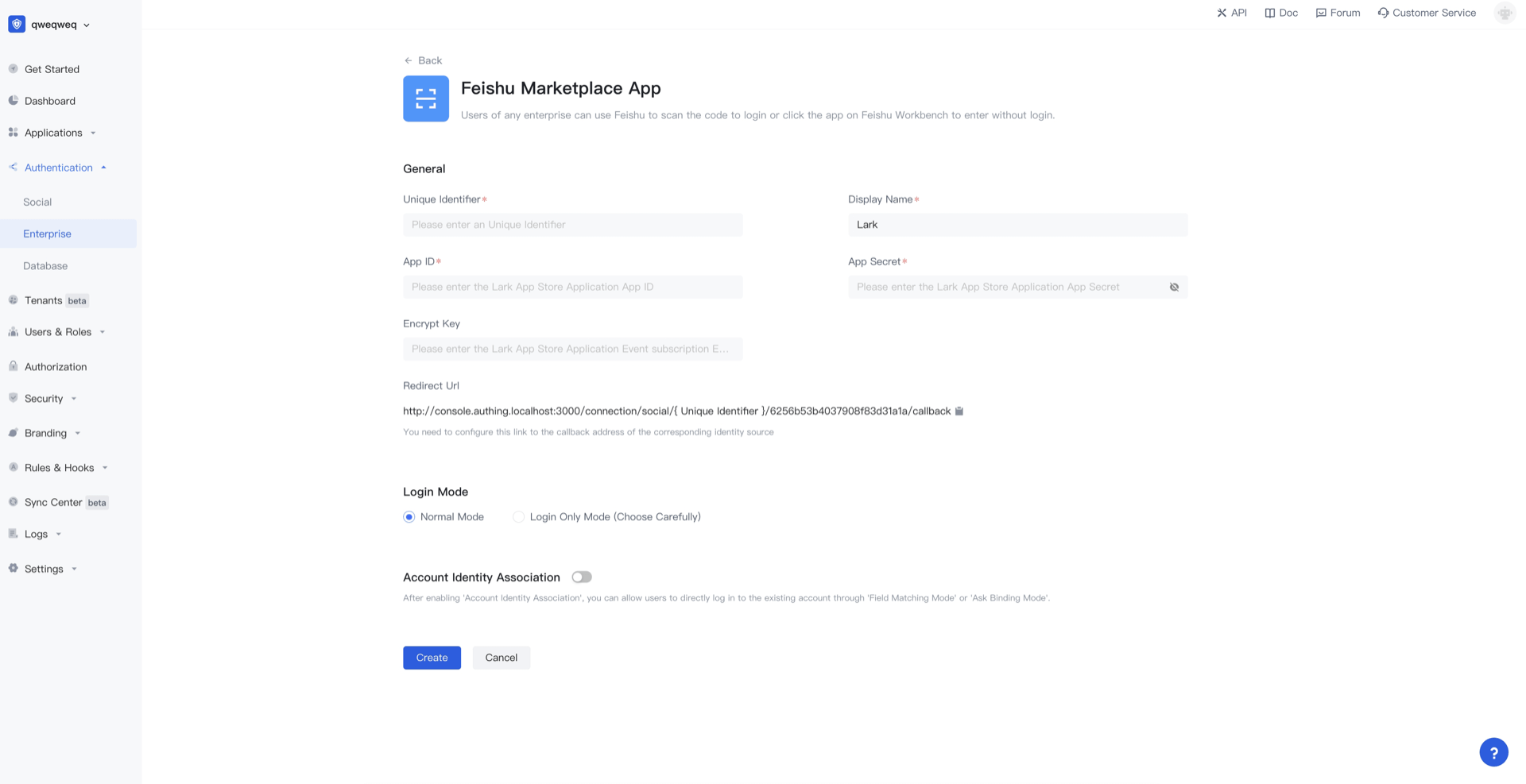
- Don't save it here for now, continue with the following steps.
Enable web functionality
- On the App Features - Webpage page of Feishu application details, click the Enable Webpage button, and the webpage settings can be ignored.
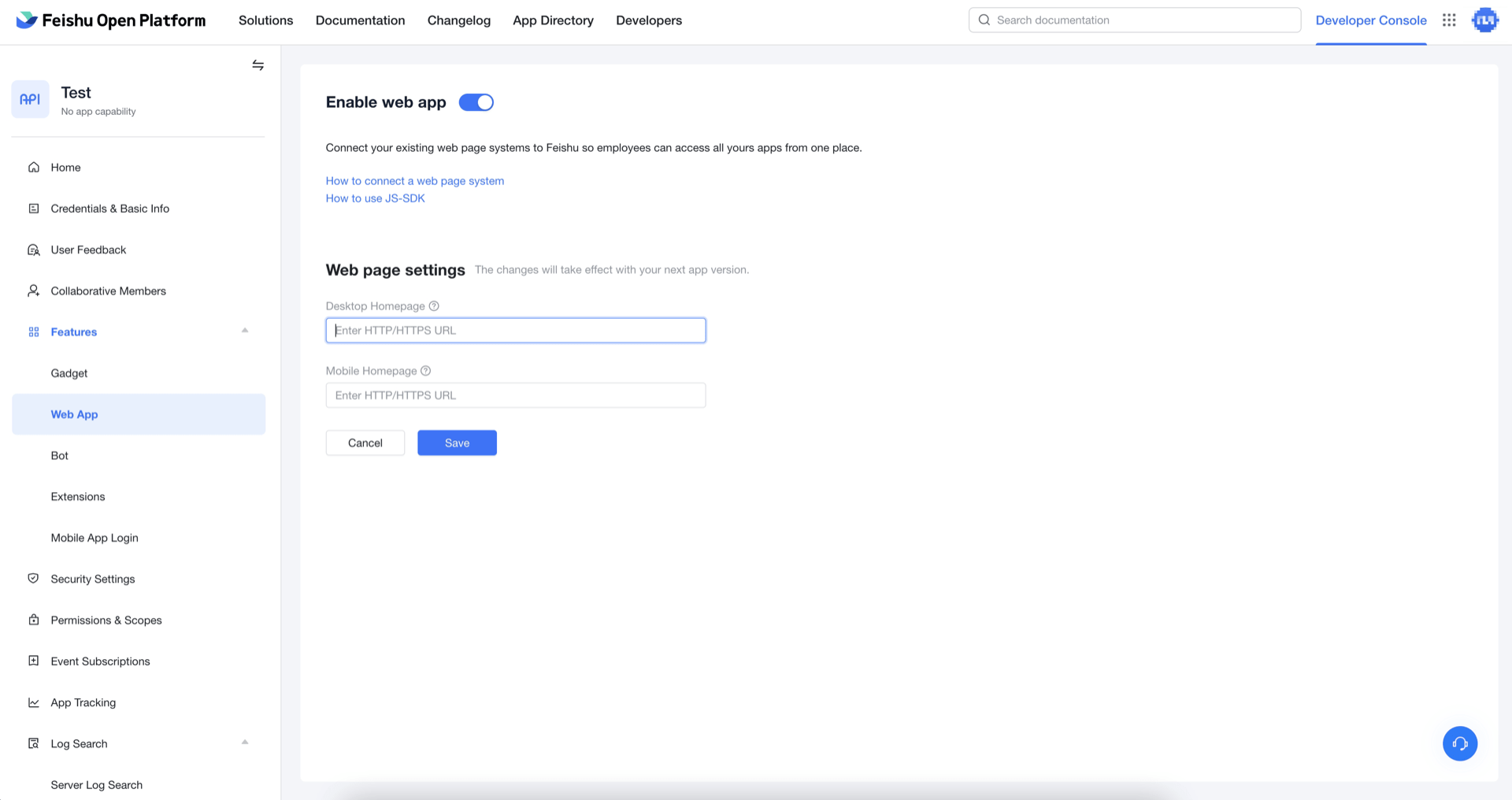
Finally click save.
Configure redirect URL
- On the Security Settings page of Feishu app details, add the following link to the list of redirect URLs:
https://core.authing.cn/connection/social/{Unique Identifier}/{YOUR_USERPOOL_ID}/callback
Replace
{Unique Identifier}with the unique ID of the identity provider you are creating by Authing, and replace{YOUR_USERPOOL_ID}with your UserPool ID。
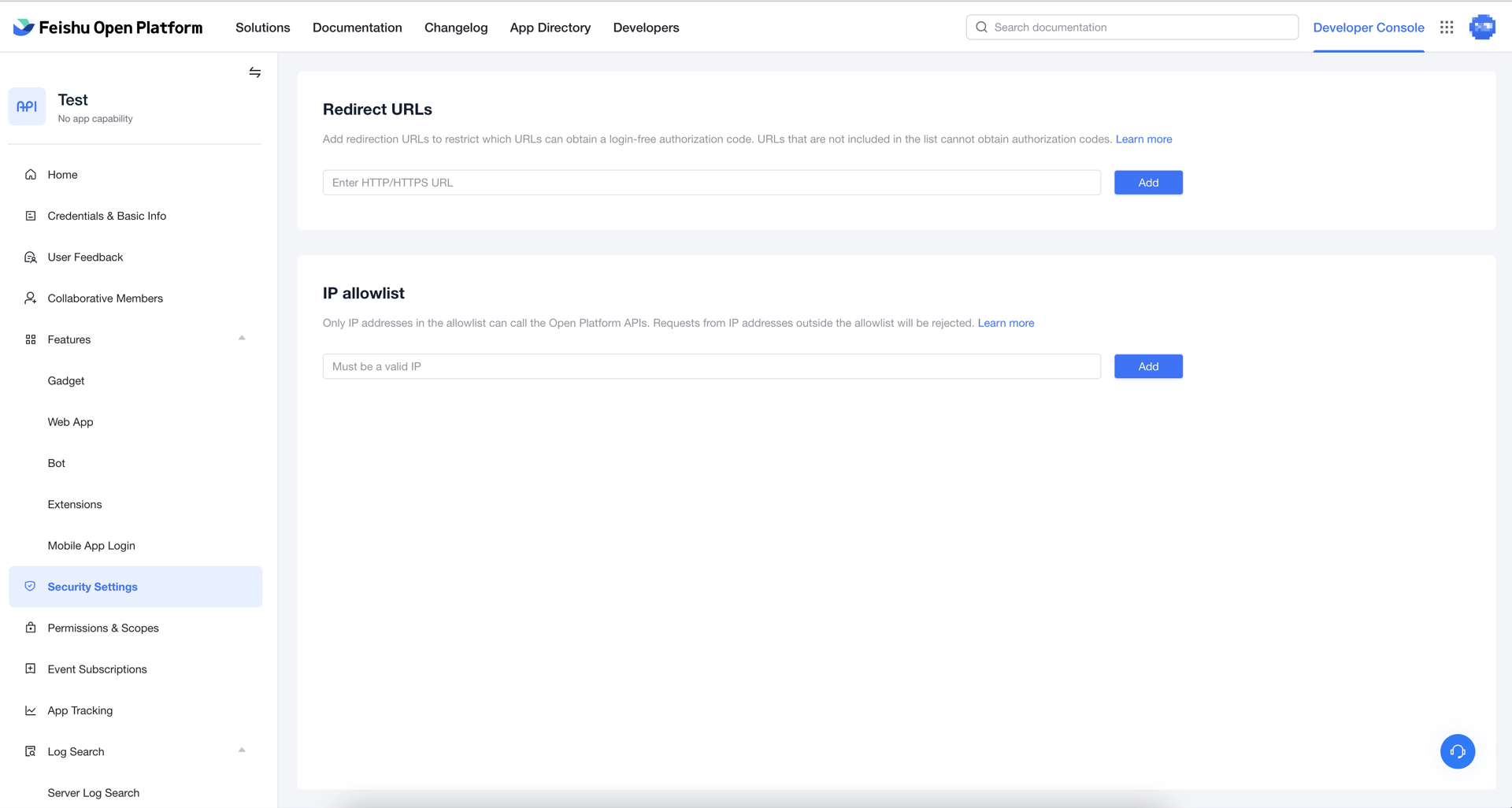
After replacing, click the "Add" button.
Apply for permission
- On the Permission Management page of Feishu application details, select the permissions required by the application, such as:
- Get user email;
- Obtain user ID through mobile phone number or email;
- Obtain basic user information;
- Get user unified ID;
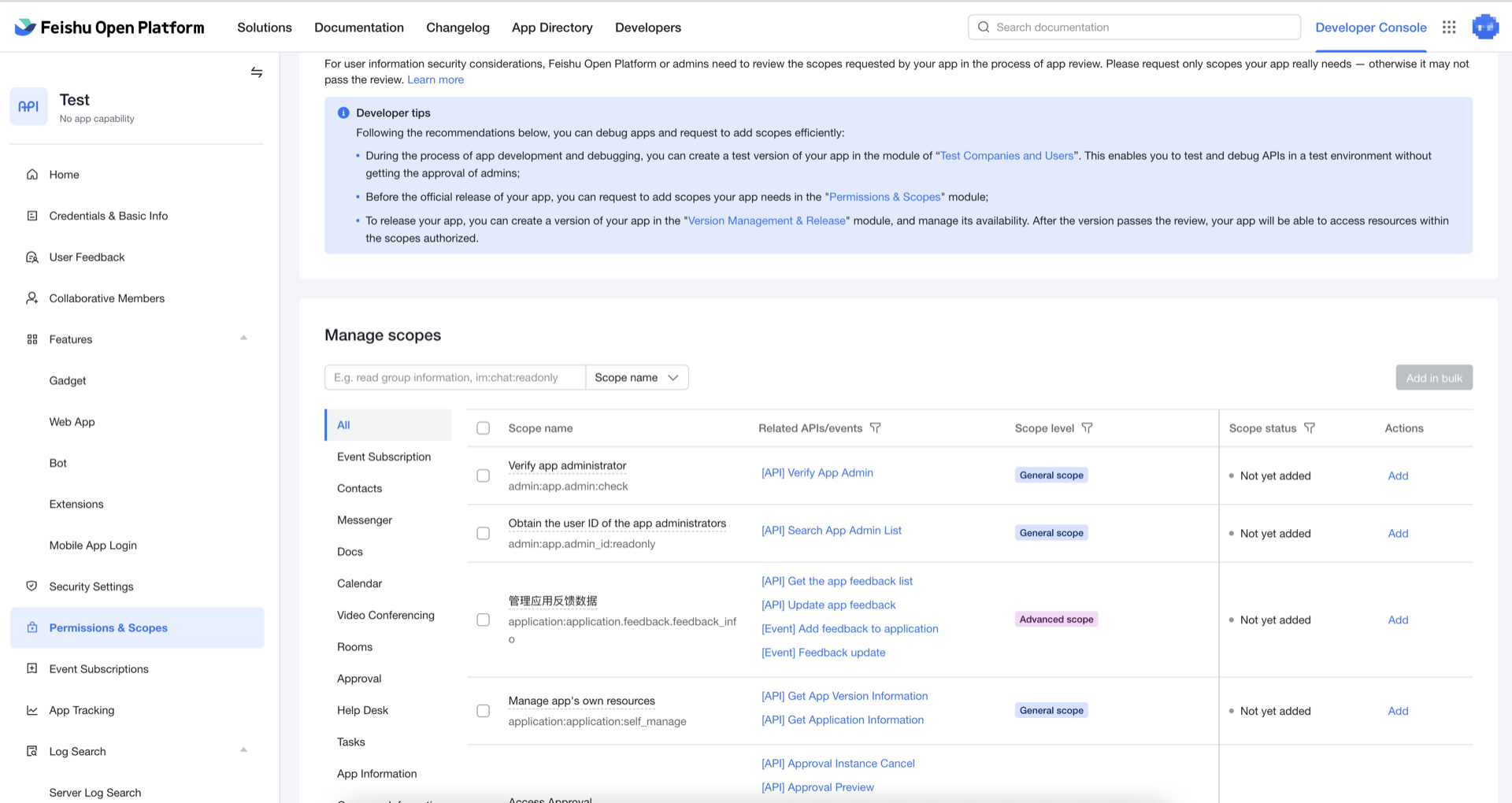
After setting permissions, you need to publish the latest version.
Configure event subscription
On the Event Subscription page of Feishu application details, configure event subscription;
Determine whether to enable
Encrypt Key. If you have high requirements on the security level of the message content, you can encrypt the message by agreeing a key with Feishu Open Platform; Feishu Open Platform will use this key to encrypt messages when pushing events. The content is encrypted symmetrically. For details, please refer to Feishu Document - Overview of Subscription Events (opens new window). If you don't need to turn it on, you can skip this step; if you do, continue reading the steps below.If you haven't set up the Encrypt Key, click the Reset button:
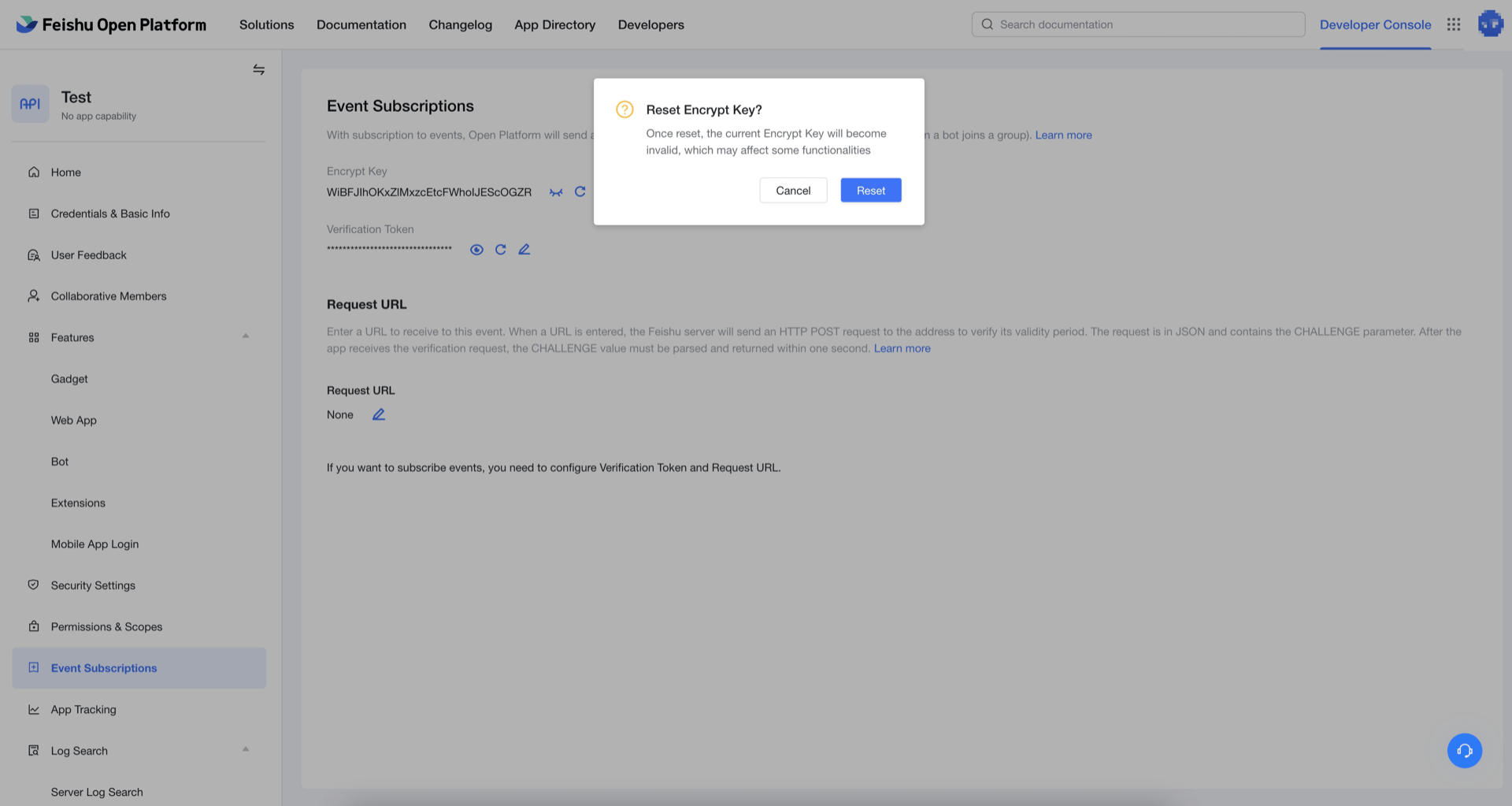
- Copy the latest Encrypt Key and fill in the configuration form of the Authing console:
- Set the request URL URL to:
https://core.authing.cn/connection/social/{Unique Identifier}/{YOUR_USERPOOL_ID}/events
You need to replace {Unique Identifier} with the unique identifier filled in by the identity source you are Authing creating, and {YOUR_USERPOOL_ID} with your UserPool ID。
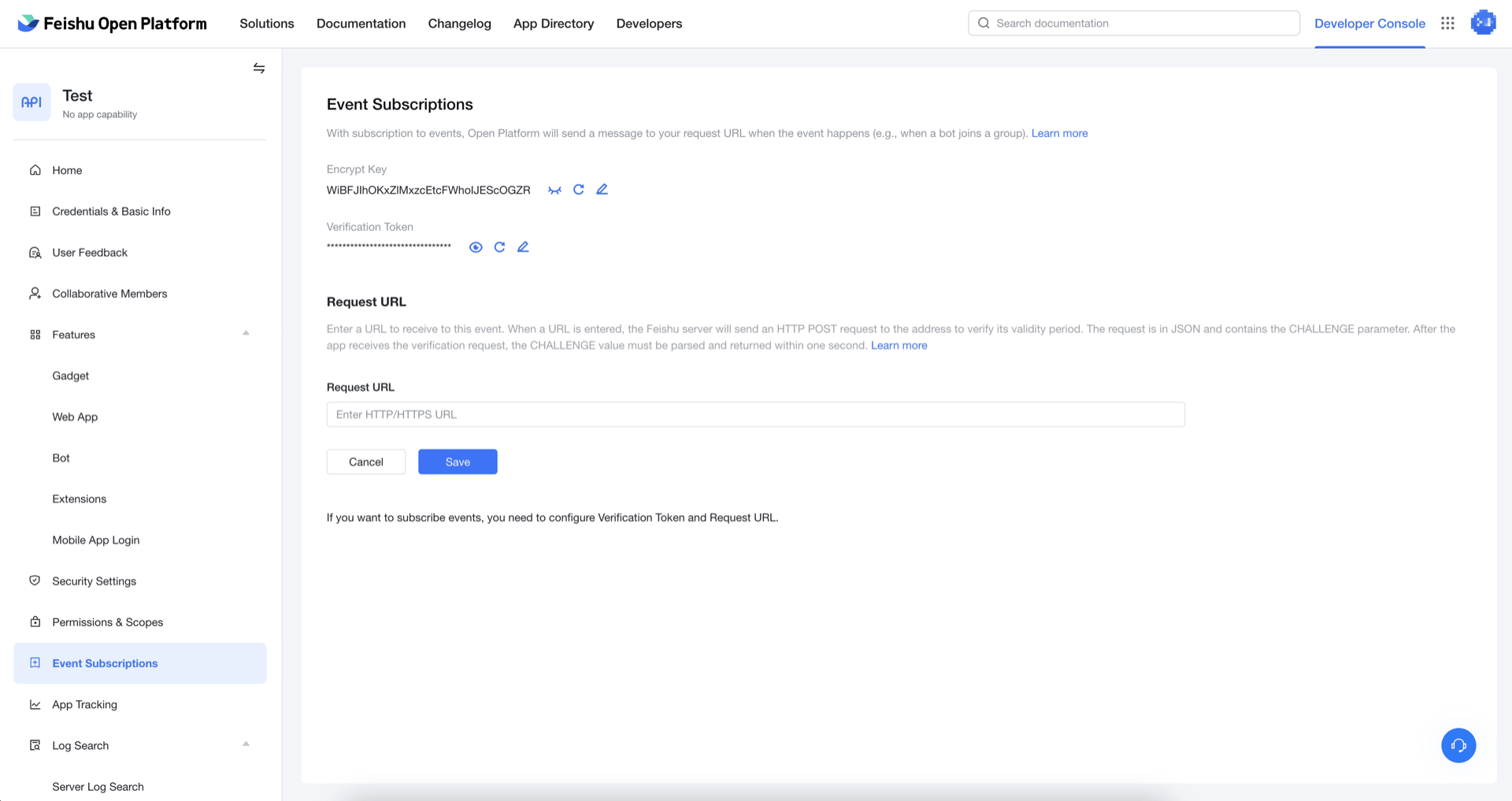
Finally click save.
After the configuration is completed, Feishu Open Platform will regularly push App Ticket to the Authing server. Within a short period of time after the configuration is completed, Feishu Open Platform has not pushed App Ticket to Authing. Book social login function will be temporarily unavailable, please wait.
Listed on Feishu App Market
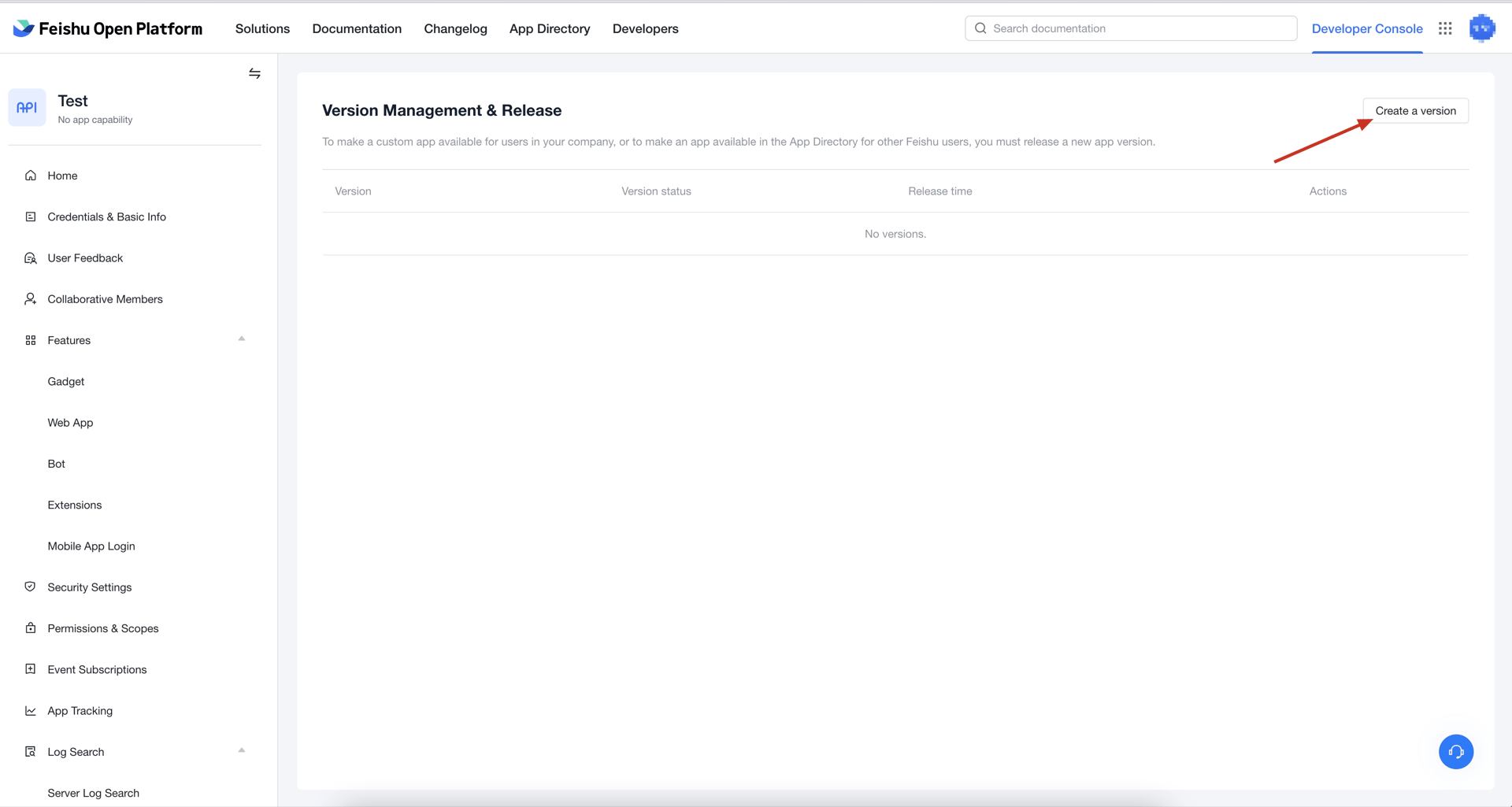
- On the Version Management and Release page of Feishu application details, click Create Version in the upper right corner:
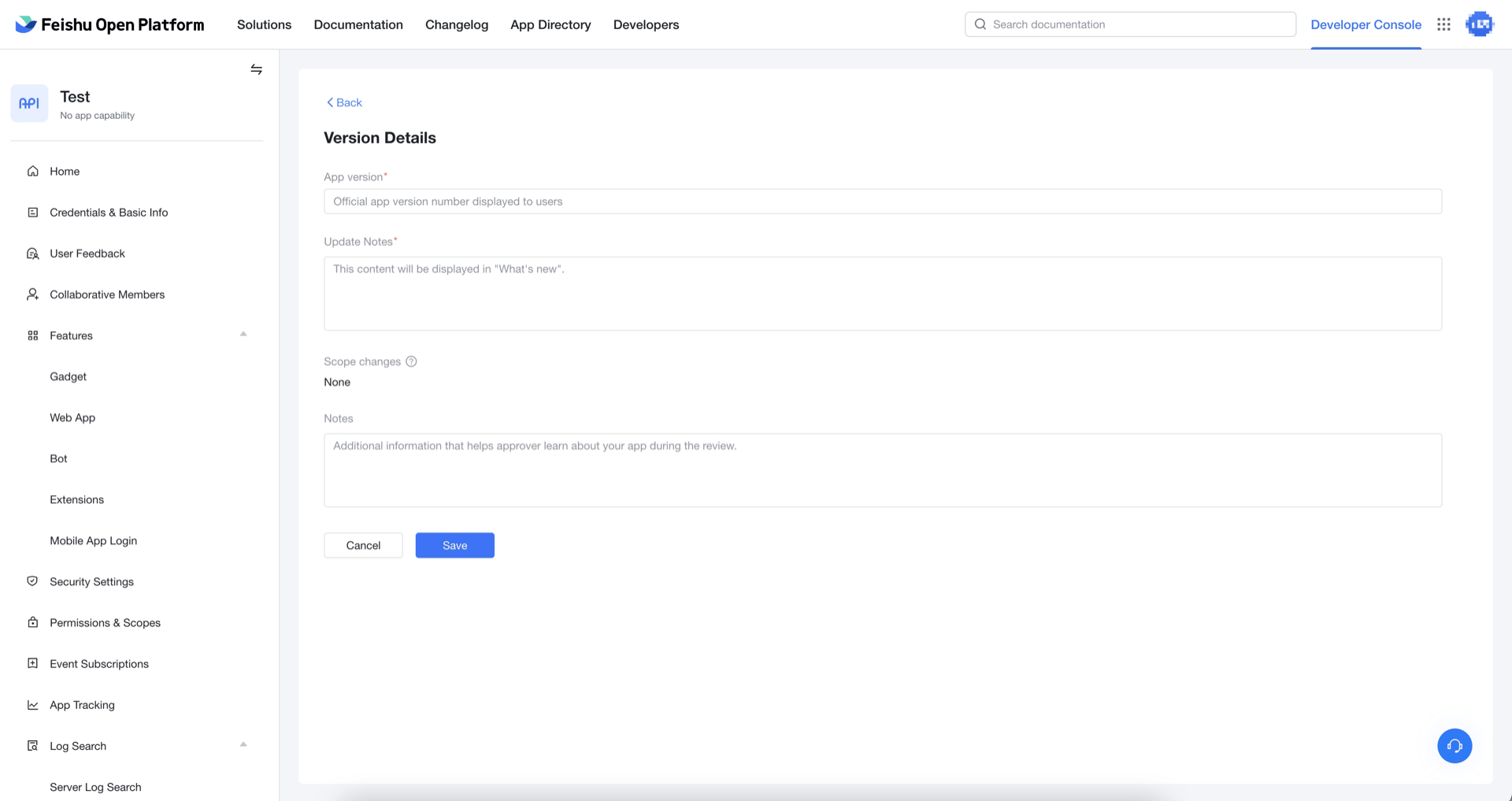
- Fill in App version number (in the format like
1.0.0) and Update description, set the availability status, and finally click Save:
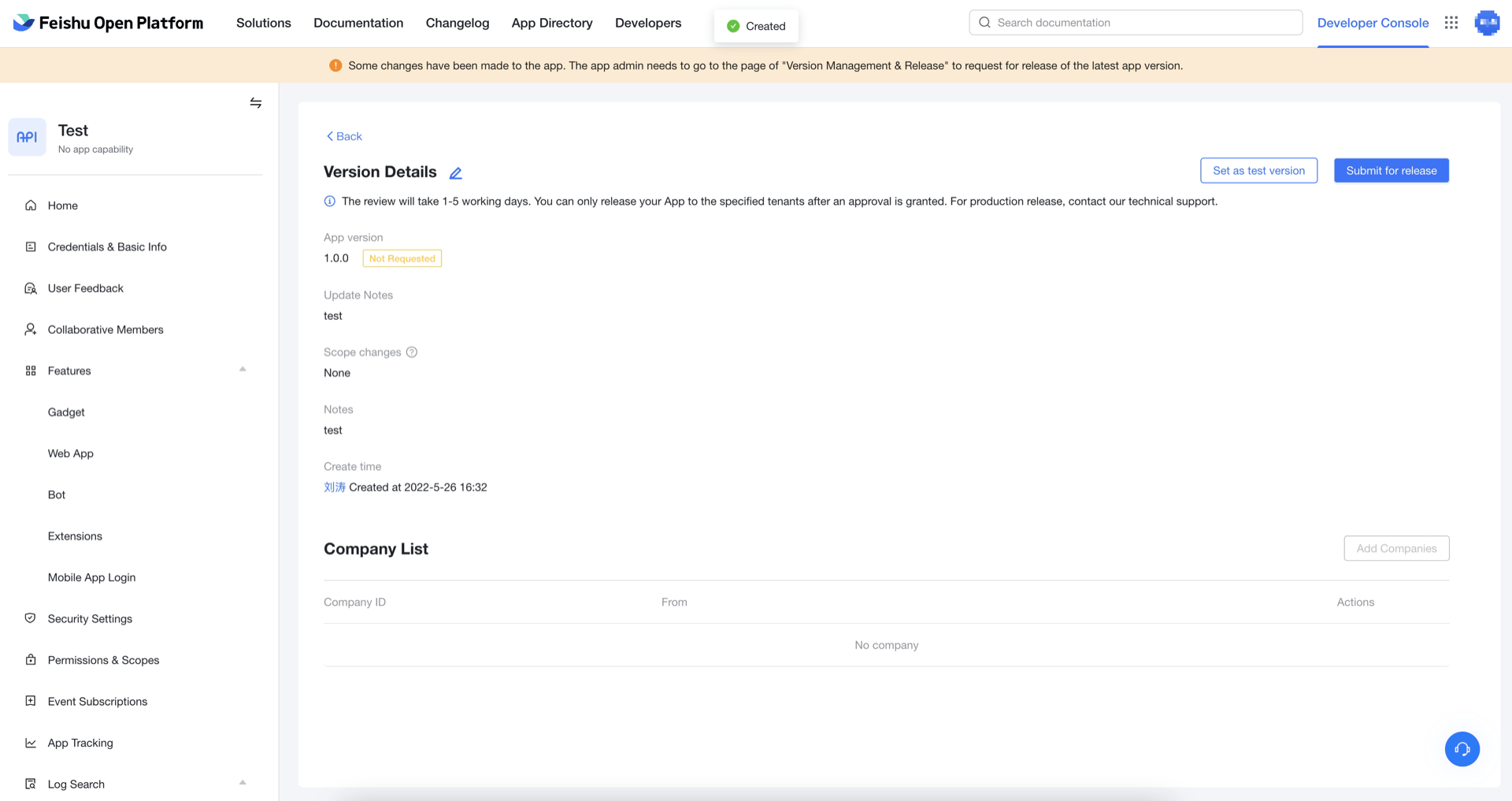
- After saving, click Apply to Publish:
- If the product introduction, sales range and price, contact information and agreement and other information have not been perfected, it needs to be perfected first:
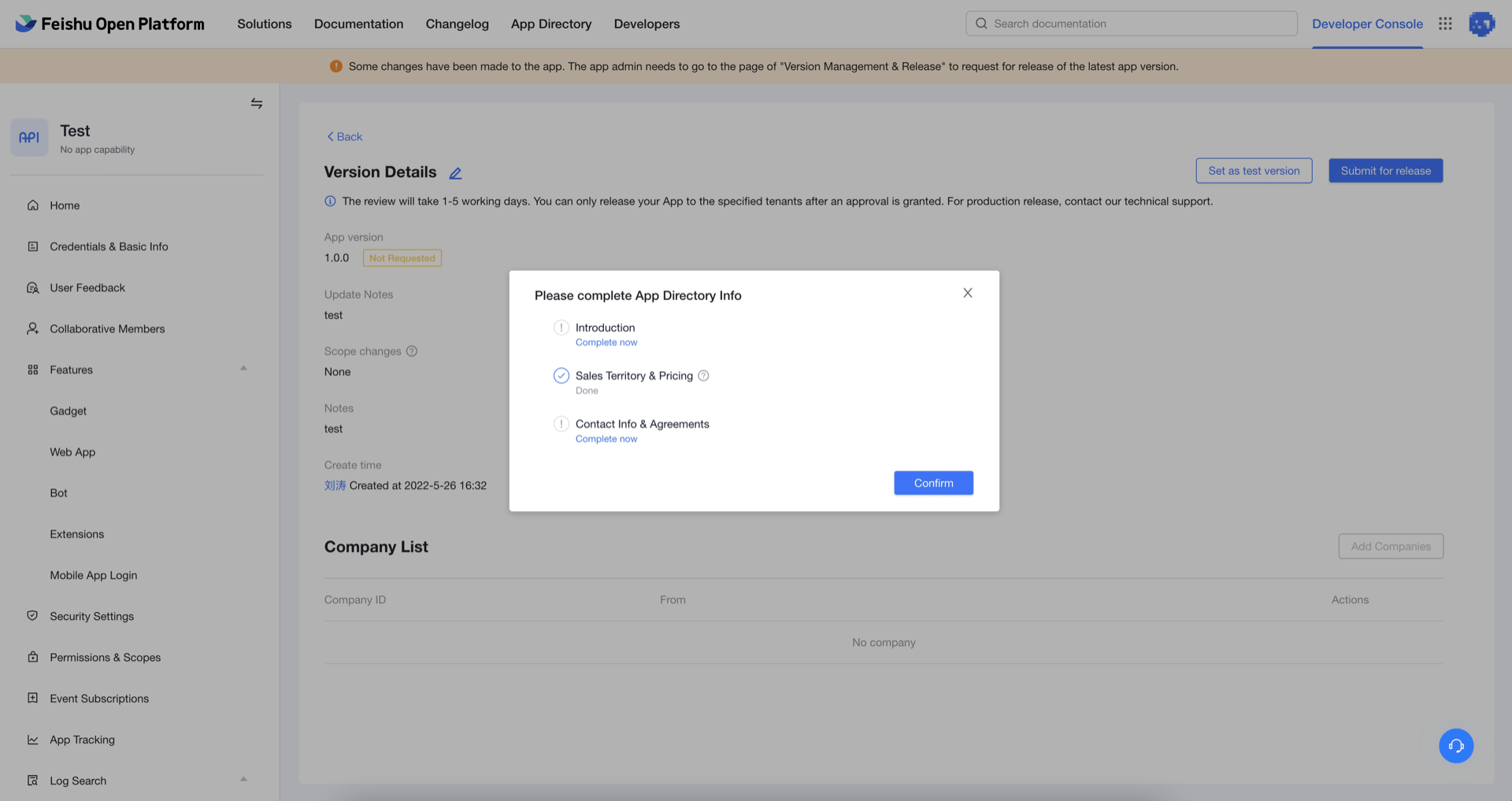
- After submitting the application, please wait patiently for the review of the Feishu development platform.